
Low-Light Wildlife Camera Settings: A Field Guide

What should you change first when the last light fades and a wild animal is still moving? Start with the animal, not the ISO dial. It’s frustrating to come home with blurred frames, or to brighten a shot only to find distracting grain. The right camera settings for low light wildlife help you balance both challenges without guessing.
This guide offers practical starting points for shutter speed, aperture, and ISO, then explains how to adjust as the light drops or the animal moves. You’ll see why shutter speed often comes first for moving subjects, when a wider aperture can help, and how raising ISO affects brightness and grain. Follow a simple order of adjustments, review each test frame, and keep your attention on the encounter unfolding in front of you.
There’s no single best setting for every low-light wildlife encounter. Your choices depend on how quickly the animal is moving and how much light is available. Shutter speed, aperture, and ISO work together to control image brightness. Changing one may mean adjusting another to keep the exposure balanced.
Starting point:
• First, assess the animal’s movement and choose a shutter speed to suit the action.
• Next, use a wider aperture if your lens allows it, to let in more light.
• Then adjust ISO to reach a useful brightness, checking the image for distracting grain.
Use these steps to guide your first decisions, not as fixed settings. Take a test shot and review it, then adjust as the light or action changes.
A slower shutter speed lets in more light, but it also gives movement more time to register as blur. If an animal is resting, a slower speed may work, especially if your camera is steady. If it starts walking, turning its head, or taking flight, you may need a faster speed to keep the moment sharp, even if that means raising ISO.
For example, a still deer at dusk may allow a longer exposure than a bird lifting off from a branch. The useful camera settings for low light wildlife change with the scene, so watch the subject before adjusting the controls.
Let the animal’s movement guide your first shutter-speed decision, then balance brightness with aperture and ISO.
Use a consistent order so you can tell what each change does. These camera settings for low light wildlife work together, so take a test frame after adjusting them and check whether the subject is sharp and bright enough.
Choose a shutter speed that suits the animal’s action. If movement is blurred, use a faster speed, even if the image becomes darker.
A wider aperture lets more light reach the camera sensor. The widest option depends on your lens, so check its markings or manual. For example, a lens that opens to f/2.8 can admit more light than one limited to f/4.
Raising ISO brightens the image, but can make grain, also called noise, more visible. Don’t reject a frame just because it looks noisy on the camera screen. Review it at a useful size and decide whether the detail works for your needs.
Check the exposure and, if available, the histogram, a graph showing how tones are distributed from dark to bright. The screen preview can look different depending on its brightness, so use the histogram as another guide. If the animal is moving, raising ISO may preserve a sharp moment better than slowing the shutter and recording blur. If it’s still, you may have more room to use a slower shutter speed.
Your usable ISO limit depends on your camera and how you plan to use the final image. Test your own files at the sizes and in the formats that matter to you. Practising these adjustments during real encounters can make decisions feel more natural. Explore wildlife photography tours to learn about field opportunities led by experienced guides.
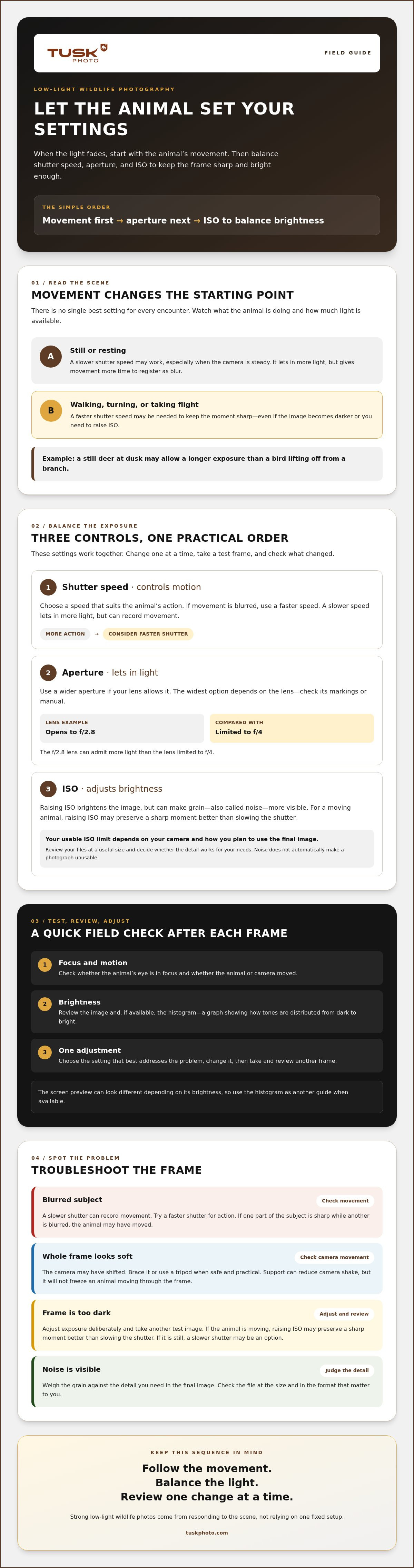
After each test frame, pause for a quick review. Check whether the animal’s eye is in focus, look for movement blur, then assess brightness. Change one setting at a time and take another frame. This makes it easier to see what helped instead of guessing after several changes.
Check whether the animal or the camera moved during the exposure.
Review the image and, if available, the histogram to judge exposure.
Choose the setting that best addresses the problem, then review again.
Conditions can shift quickly. As the light fades, you may need to raise ISO or open the aperture. If the animal begins moving, a faster shutter speed may matter more than keeping ISO low. Camera support also affects your choices: bracing the camera or using a tripod can reduce camera shake, but it won’t freeze an animal moving through the frame.
Blur: A slower shutter lets in more light but can record movement. If one part of the subject is sharp while another is blurred, the animal may have moved. If the whole frame looks soft, the camera may have shifted. Try a faster shutter for action, or steady the camera when it’s safe and practical.
Dark frame: Adjust exposure deliberately, then take and review another test image. Visible noise: Weigh the grain against the detail you need in the final image. Noise doesn’t automatically make a photograph unusable. The best camera settings for low light wildlife depend on the scene and how you’ll use the image.
Guided wildlife photography tours can offer a chance to practise adapting settings during real encounters. Explore wildlife photography tours led by experienced guides.
Strong low-light wildlife photos come from responding to the scene, not relying on one fixed setup. Let the animal’s movement guide your shutter speed, open the aperture as your lens allows, then adjust ISO to balance brightness and image quality. Review each frame for focus, blur, and exposure, and change one setting at a time.
With practice, camera settings for low light wildlife become less of a guessing game. You’ll get quicker at noticing what the light and the animal are asking of you, while staying focused on the encounter itself.
Want to practise in the field? Explore Tusk Photo wildlife photography tours, led by experienced guides and welcoming both beginners and seasoned professionals. Keep experimenting, trust what each frame shows you, and enjoy the quiet moments that make wildlife photography rewarding.
There’s no single best setup. Choose settings based on the animal’s movement and the available light. Start with a shutter speed that suits the action, then open the aperture as far as your lens allows. Adjust ISO to brighten the image, and review a test frame for focus, blur, and grain. These camera settings for low light wildlife are starting points, not fixed rules.
Use a faster shutter speed if the animal’s movement is causing blur. Check whether the camera moved too, since camera shake can soften the whole frame. If the image becomes too dark, open the aperture if possible or raise ISO rather than slowing the shutter and risking more motion blur. Bracing your camera or using a tripod can help reduce camera shake.
Raise ISO when you need a brighter image and a slower shutter would blur the animal. At night, ISO 800, ISO 1600, or higher may be needed, depending on the light and your camera. A higher ISO can add visible grain, but that doesn’t automatically make a photo unusable. Check your own images at the size and quality you plan to use.
No, a tripod isn’t always necessary, but it can help steady the camera, especially when photographing a still animal. It won’t freeze movement, so a moving subject may still blur during a slow exposure. If you’re handholding the camera, brace yourself or rest it on a stable support when practical. Choose an approach that lets you keep the camera steady and respond to the animal.


